
Suitable for installation tutorial for Mercedes-Benz C-Class 205-GLC253-E-Class 213 luminous midrange cover
This tutorial is suitable for Mercedes-Benz C-Class 205-GLC253-E-Class 213.
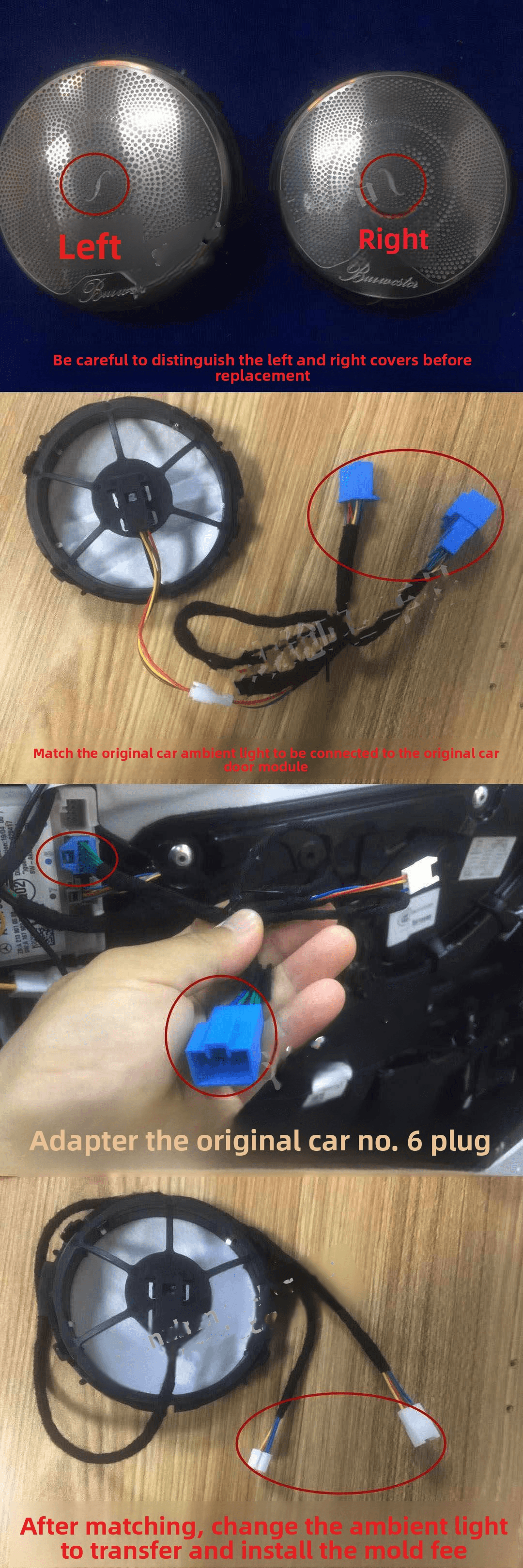
The original car comes with original ambient lights and rear-modified 64-color ambient lights, and is replaced with the touch-type version, matching the ambient light function, and improving the horn feel.
Before construction and installation, it is recommended to slide down to check the third installation precautions to reduce unnecessary misunderstandings.
1. Product pictures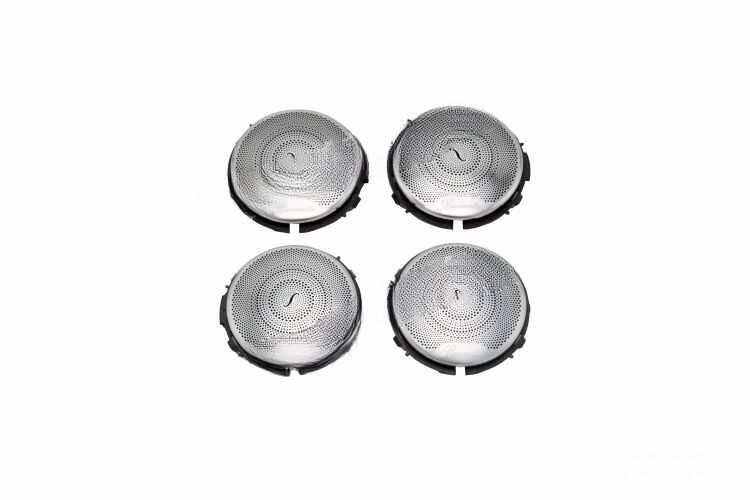
2. Installation and construction process
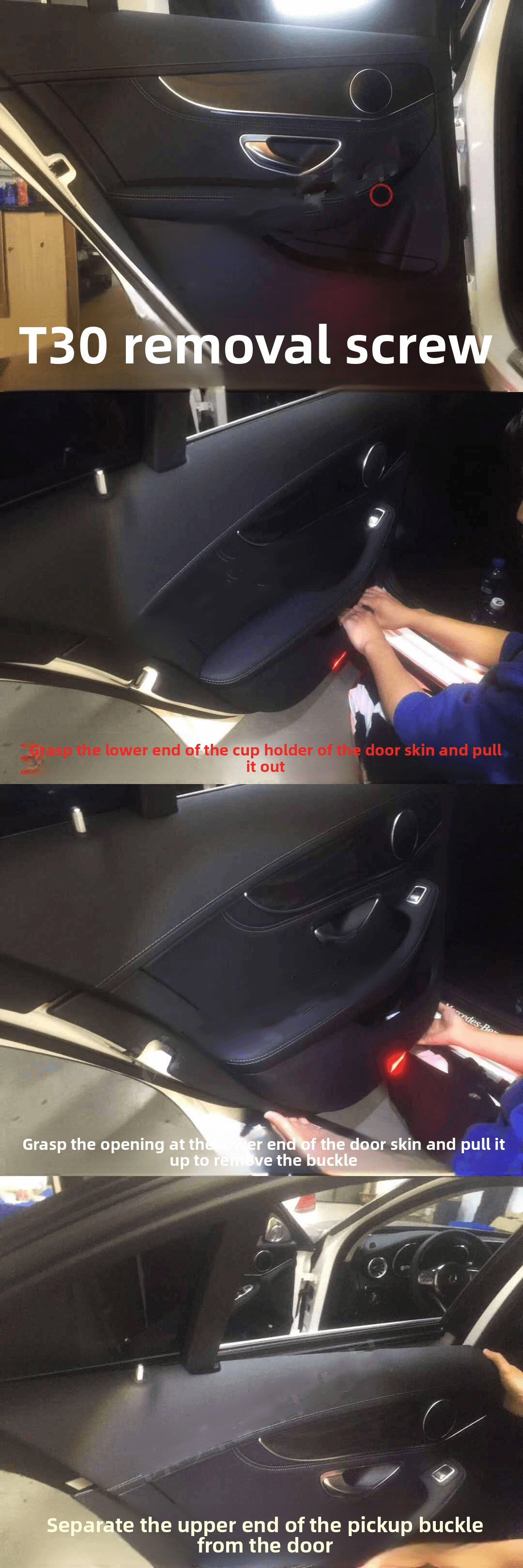
a. Disassembly and assemble the front door
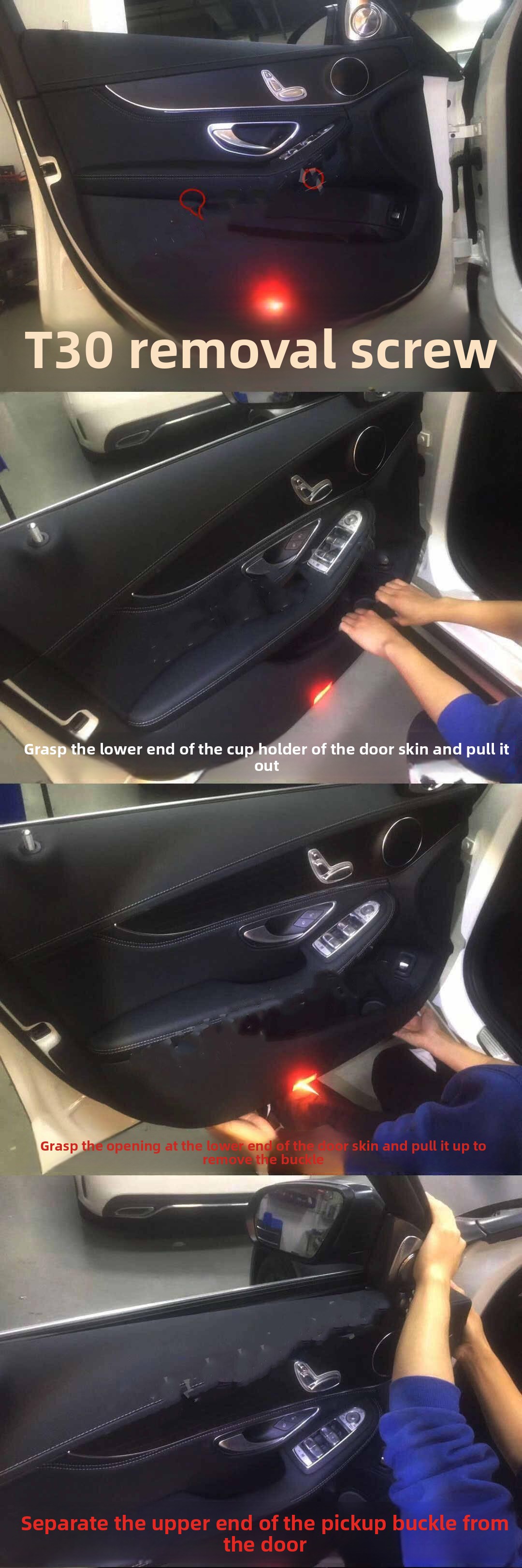
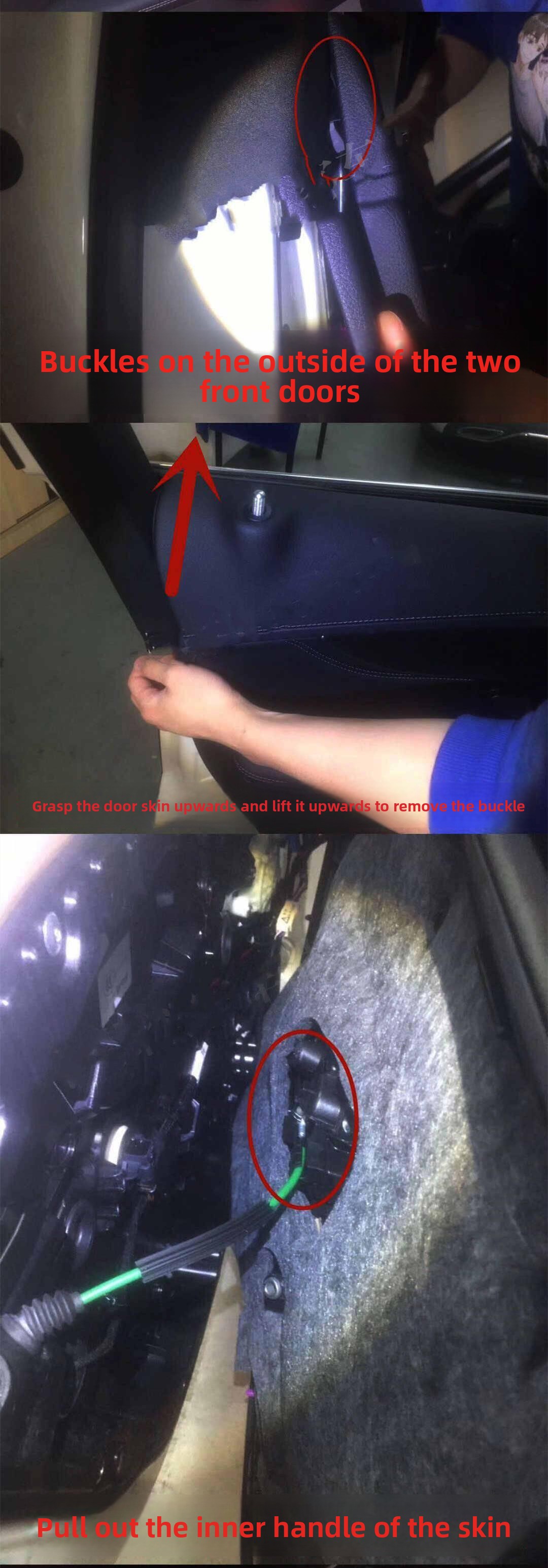
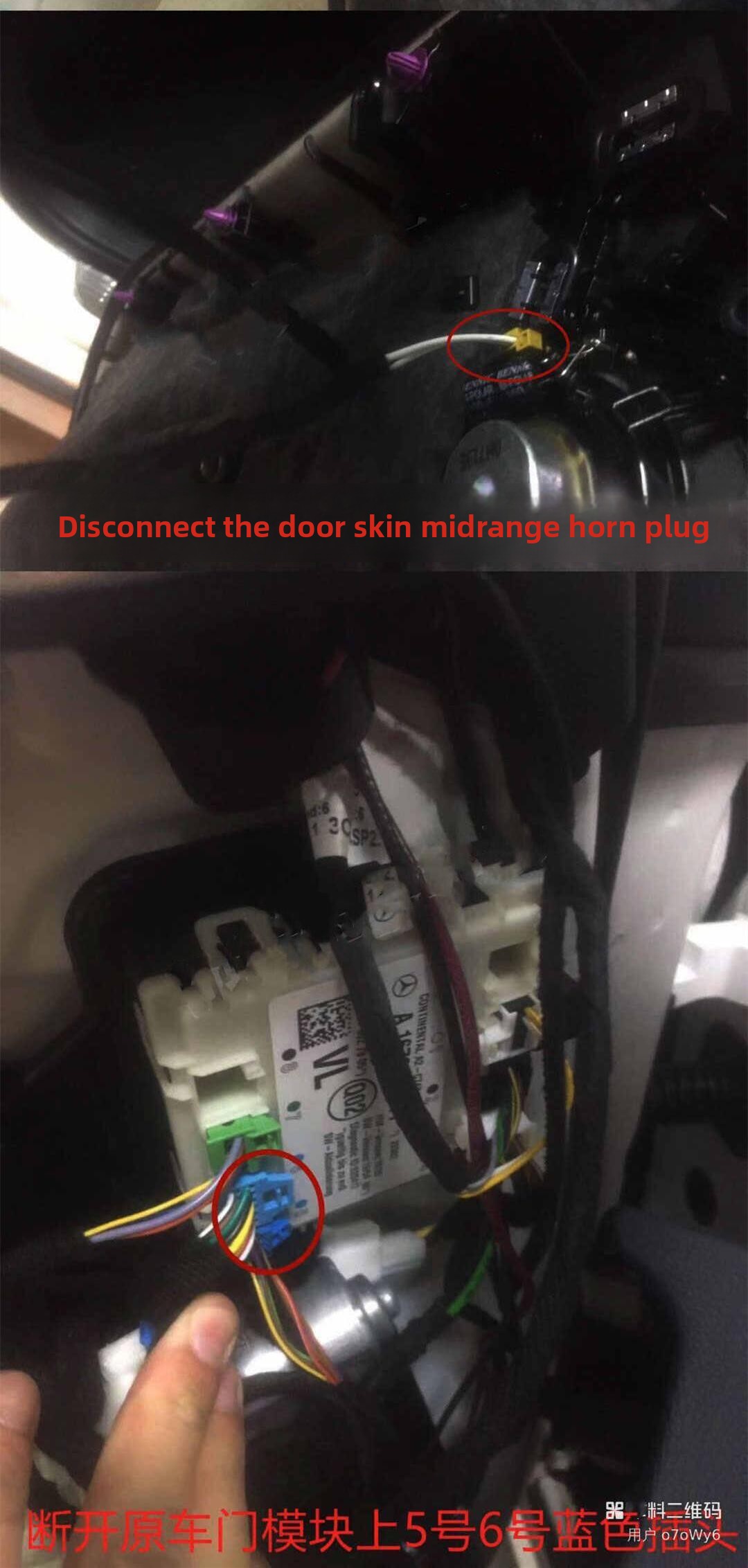
b. Rear door disassembly
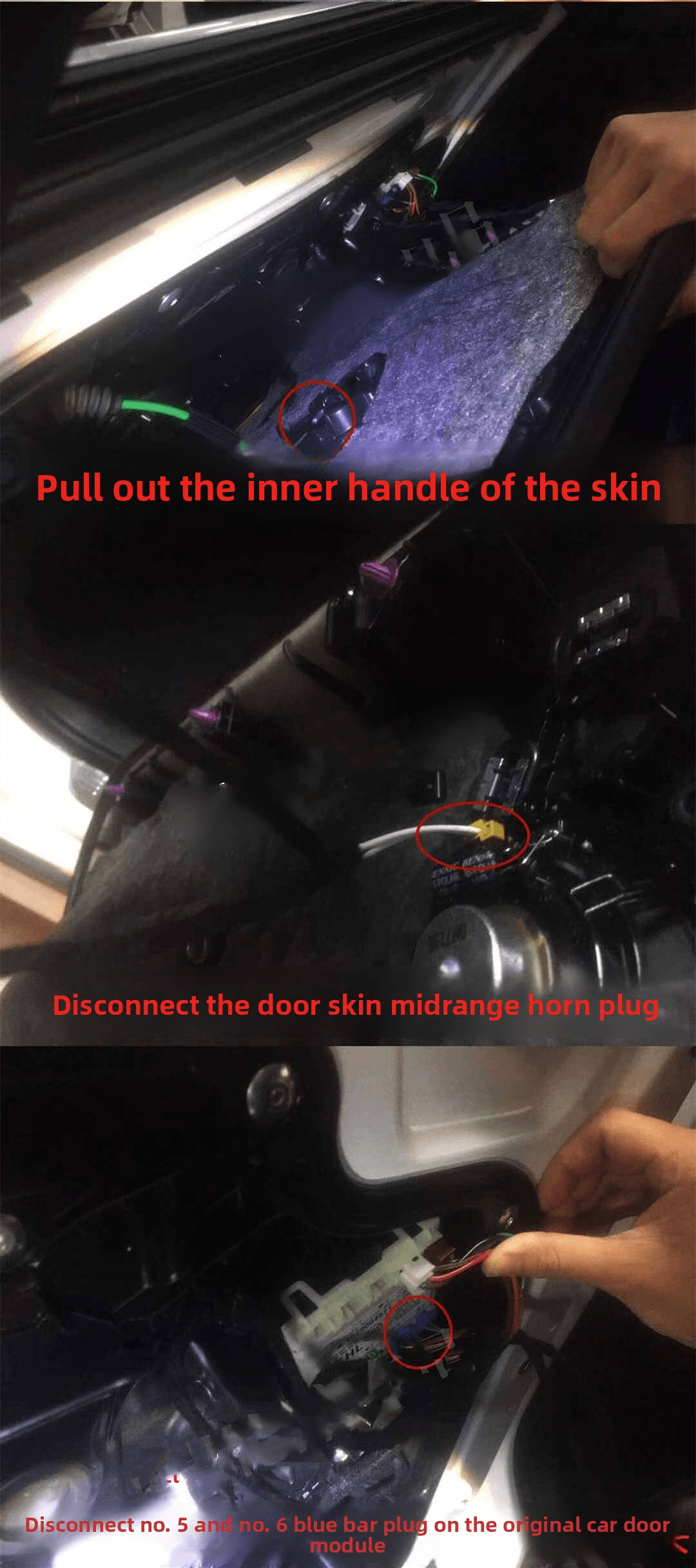
c. Front door construction
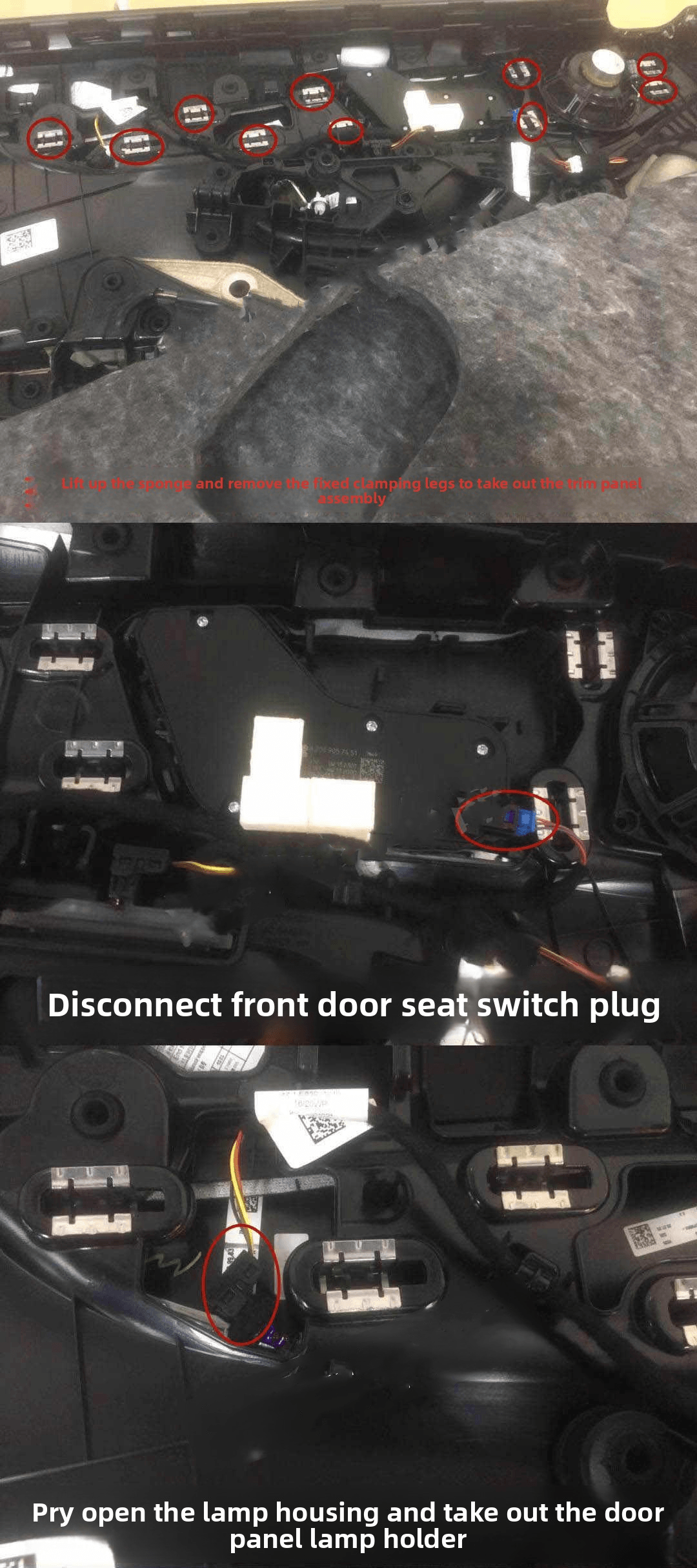
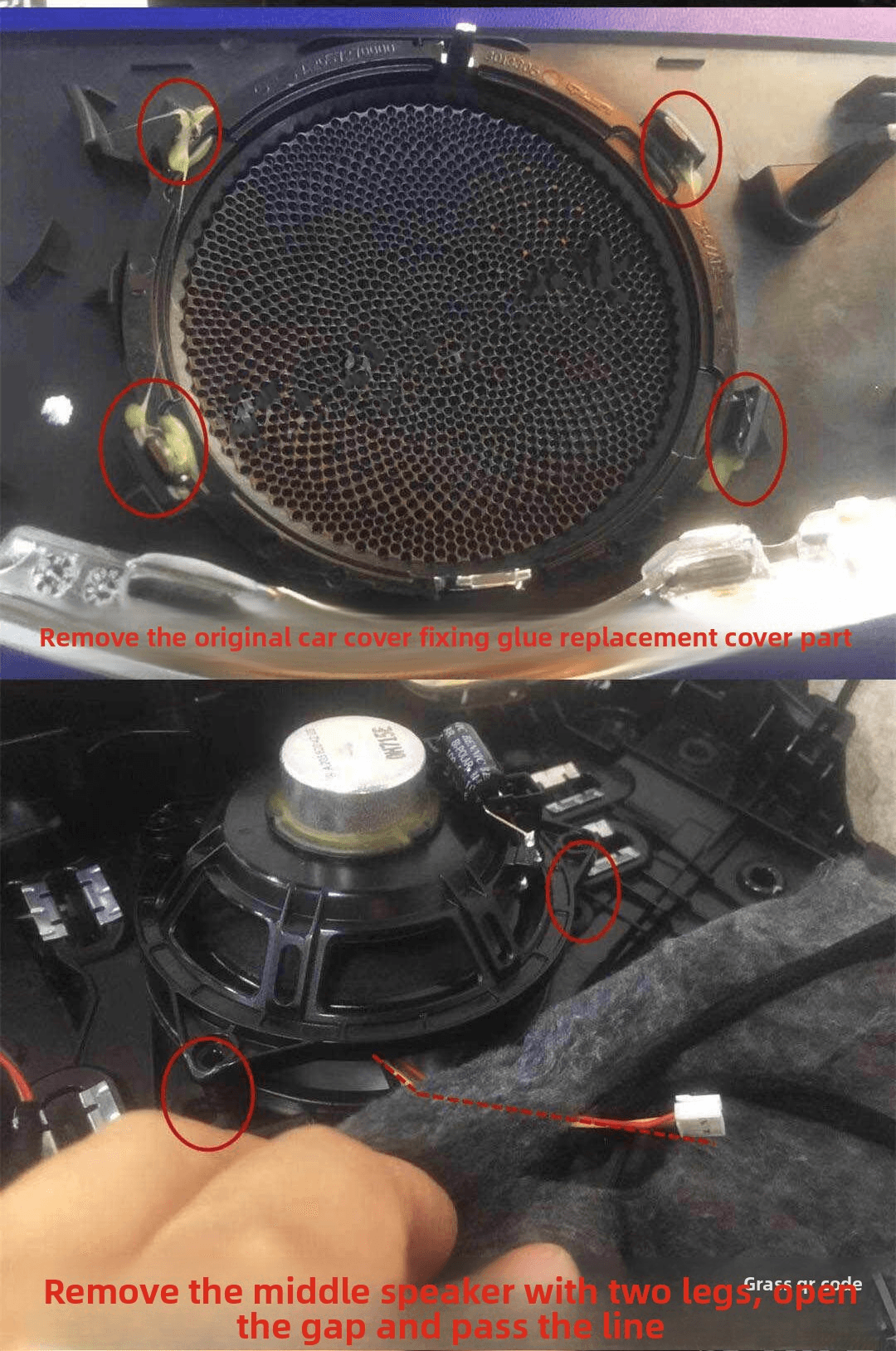
d. Back door construction
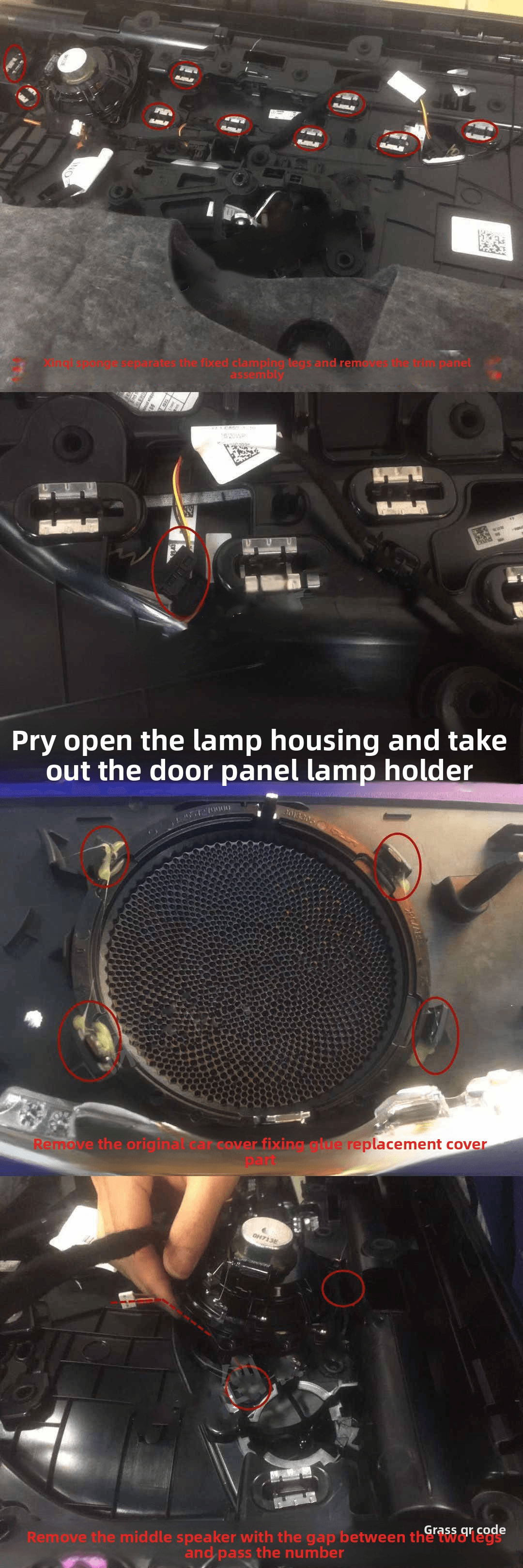 3. Installation precautions
When replacing and installing the upper trim, pay attention to whether there are any abnormalities in the built-in sponge to avoid affecting the effect. Secondary disassembly and re-repair, and there is no need to remove the built-in white sponge.
4. Troubleshooting
Match the original atmosphere lights:
1. The luminous cover plate and the ambient light on the original car door are not on at the same time: lock the car and sleep for 10 minutes; unplug the adapter plug and restore whether the original car line is normal. Normal is the adapter plug, and abnormal is the original car signal fault. Check other installed adapter plugs.
2. The atmosphere light on the original car door is on but the luminous cover is not on: observe whether the plug is falling off; whether the pin is bent and deformed; there is no abnormal adapter plug in the adjustment, whether it is normal, normal means that the adapter plug is faulty, abnormal means that the lamp head is faulty; whether the comparison line pin is misaligned.
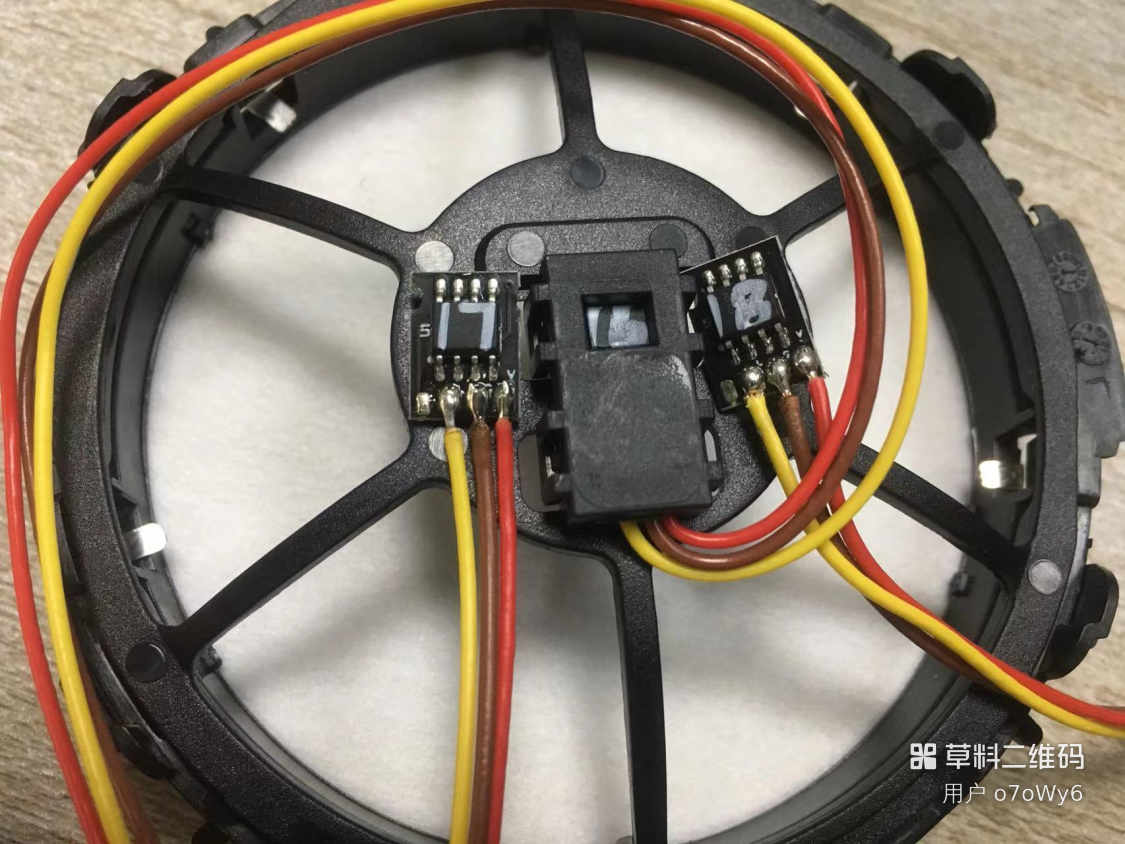
3. When the color is not uniform, the monochrome is normal: Check the light cover lamp head logo, 16 is E213, 17 is C205, and 18 is GLC253. The lamp head logo does not match the model, replace the lamp head. (Distinguish the location situation in the figure below)
After matching, change the 64-color ambient light:
1. The ambient light and luminous cover of the whole vehicle are not lit: Check the function of the ambient light to see if it is normal.
2. The atmosphere light is normal after some doors but the luminous cover is not illuminated:Check whether the adapter plug is falling off;Check whether the adapter pins are bent and deformed;If the lamp head is not abnormal when the lamp head is adjusted, is it normal? If it is normal, the lamp head is faulty.
3. The luminous cover plate of some doors and the ambient light of the car door are not illuminated:After checking, install the module and see if the plug is off;Check whether the function of the module is normal after installation.
4. There is an abnormality in a certain mixed color:Check whether the red, blue and green basic colors in the monochrome panel are complete, and the lamp head is abnormal if it is missing;Check whether the line pins are misaligned;No missing is to check whether the ambient light needs to be done in color synchronization tutorial.